🎨 Descent VTT - Enterprise UI/UX Design System (Call of Cthulhu 7e)
🎨 Descent VTT - Enterprise UI/UX Design System (Call of Cthulhu 7e)
To match our revolutionary WebGPU + SolidJS architecture, the user interface of Descent VTT moves away from the clunky, Windows 95-style sidebars of legacy tabletops. We are targeting a Premium, Esports-Grade Aesthetic.
This specific design system is tailored for Call of Cthulhu 7th Edition, abandoning standard high-fantasy tropes for a 1920s Noir, Lovecraftian Horror aesthetic.
The core design philosophy is “The Map is the Hero”. UI elements use deep dark modes, heavy shadows, Antique Gold accents, Blood Red for vital stats, and heavy Glassmorphism (Frosted Glass) to ensure the stunning 3D world is never fully obscured, maintaining the eerie, claustrophobic atmosphere. The UI must strictly adhere to our Zero-Trust Presentation Layer and hybrid topology.
1. 3D Isometric Mansion (Dynamic Shadows & UI Overlay)
Unlike traditional 2D VTTs, Descent VTT operates in a true 3D space powered by Babylon.js. This mockup shows an isometric view of a 1920s mansion interior. Notice the True 3D Geometry of the walls and furniture, and how the token’s lantern casts dynamic, WebGPU-powered shadows across the room. The sleek SolidJS UI floats seamlessly above the 3D canvas, tracking Sanity (SAN) without breaking immersion.
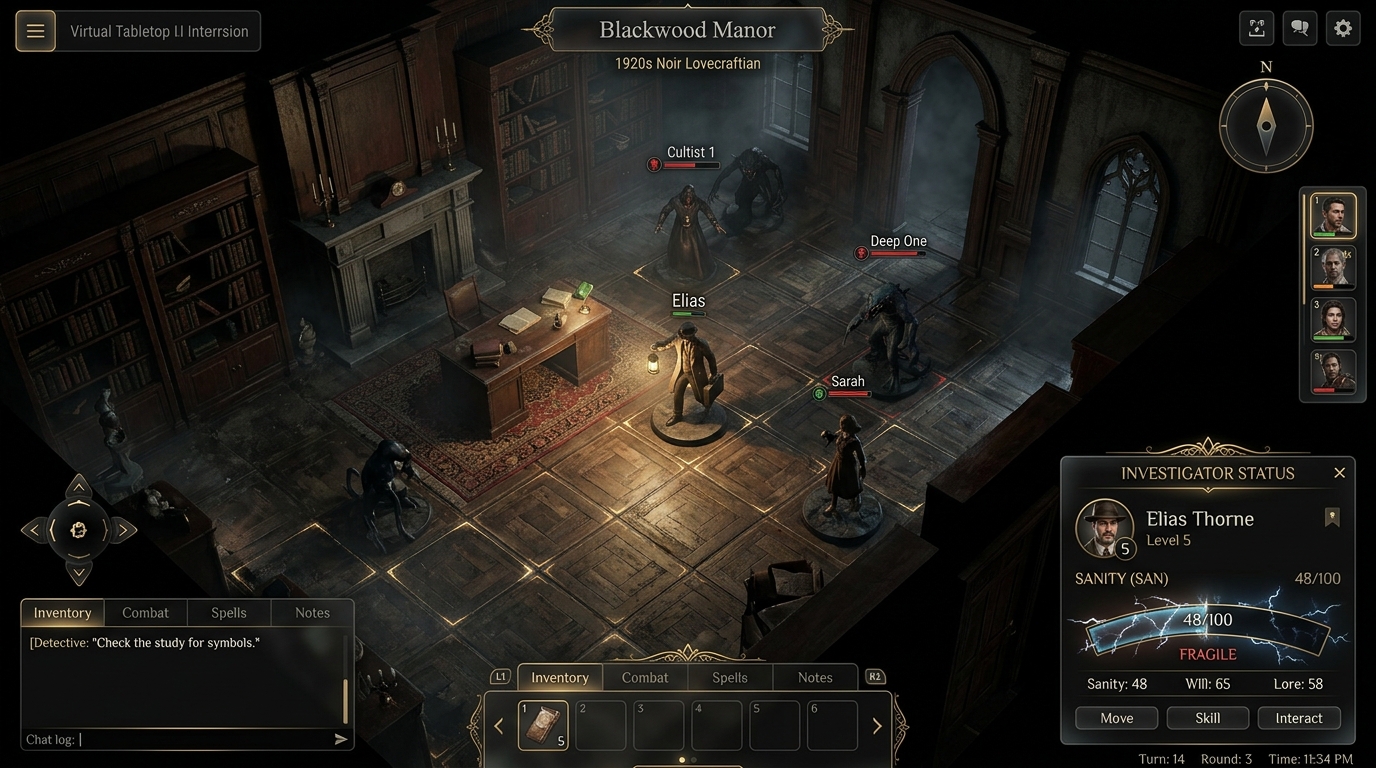
[!TIP] What is and is not the §9.2 compute path (corrected 2026-08-01, R2-F-48): the soft shadows and volumetric lighting in this render are ordinary PBR / shadow-map rendering, not §9.2’s compute path. §9.2’s WGSL compute passes do one specific job — upsampling and antialiasing the server’s authoritative visibility mask into smooth high-resolution fog and lighting falloff. That distinction matters because §9.2 also states the hard rule that follows from it: no game logic, event trigger, targeting decision, or visibility decision may consume a GPU result.
2. Cinematic Combat & The Semantic DOM
When investigators stumble upon an eldritch ritual in a dark cavern, the camera can angle down for a cinematic perspective. This showcases our 3D Fog of War (FOW) and Line of Sight (LOS) presentation. The glassmorphic Combat Tracker sits on the right, providing crucial data while letting the eerie glow of the ritual bleed through the UI panels.
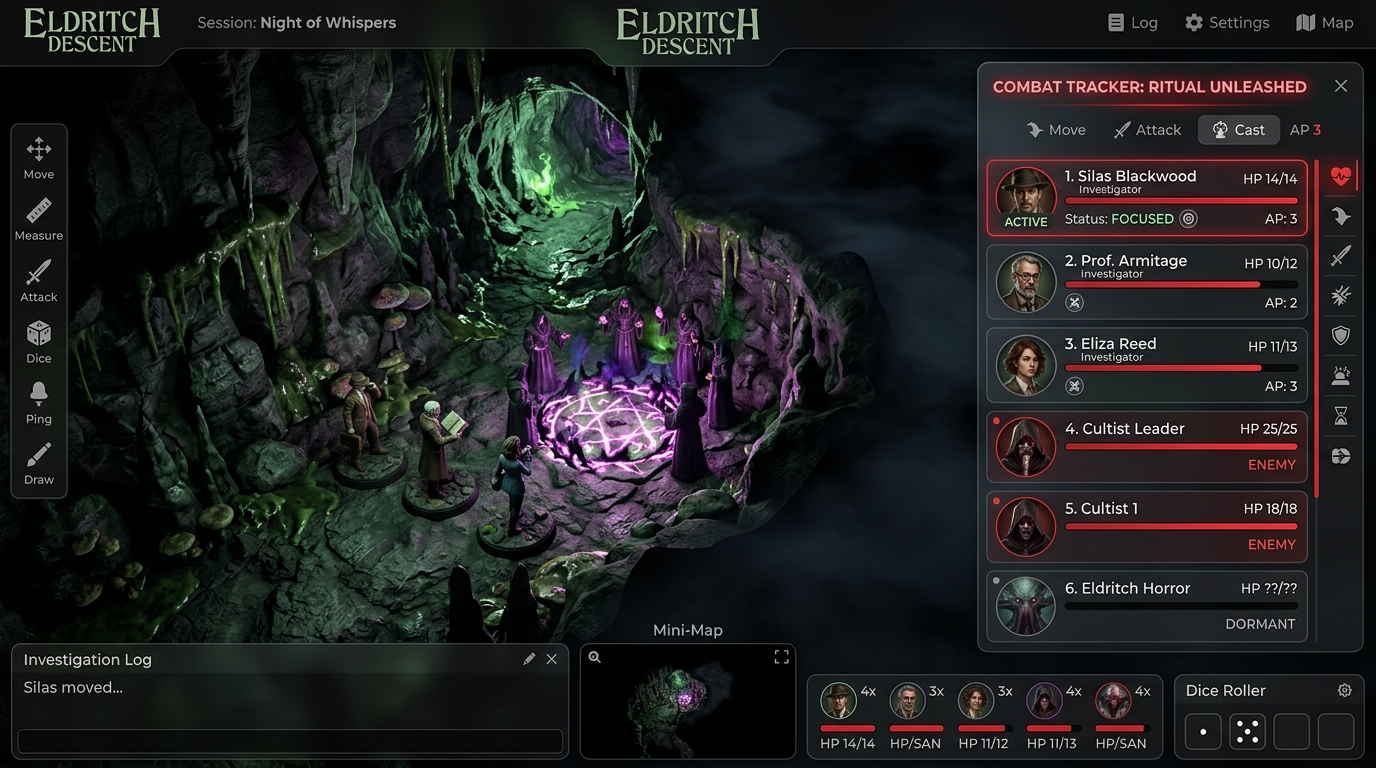
[!NOTE] Hybrid UI Boundary in Action: The Combat Tracker on the right is rendered by the DOM (SolidJS), while any health bars hovering directly over the 3D cultist tokens in the background would be rendered by WebGPU Thin Instances (as defined in ADR-013). Furthermore, the SolidJS UI maintains an invisible, strictly semantic HTML mirror of the 3D scene to ensure maximum accessibility and robust layout calculations (
Future_Frontend_Roadmap.md).
3. Smooth Temporal Fog of War (Presentation Layer Trickery)
To achieve a silky-smooth 60FPS AAA feel while operating strictly within the Zero-Trust boundaries of ADR-034, we utilize a Temporal Crossfade Shader. When the frontend receives the next 5Hz visibility mask payload, the pixel shader interpolates the alpha values over a strict 200ms duration.
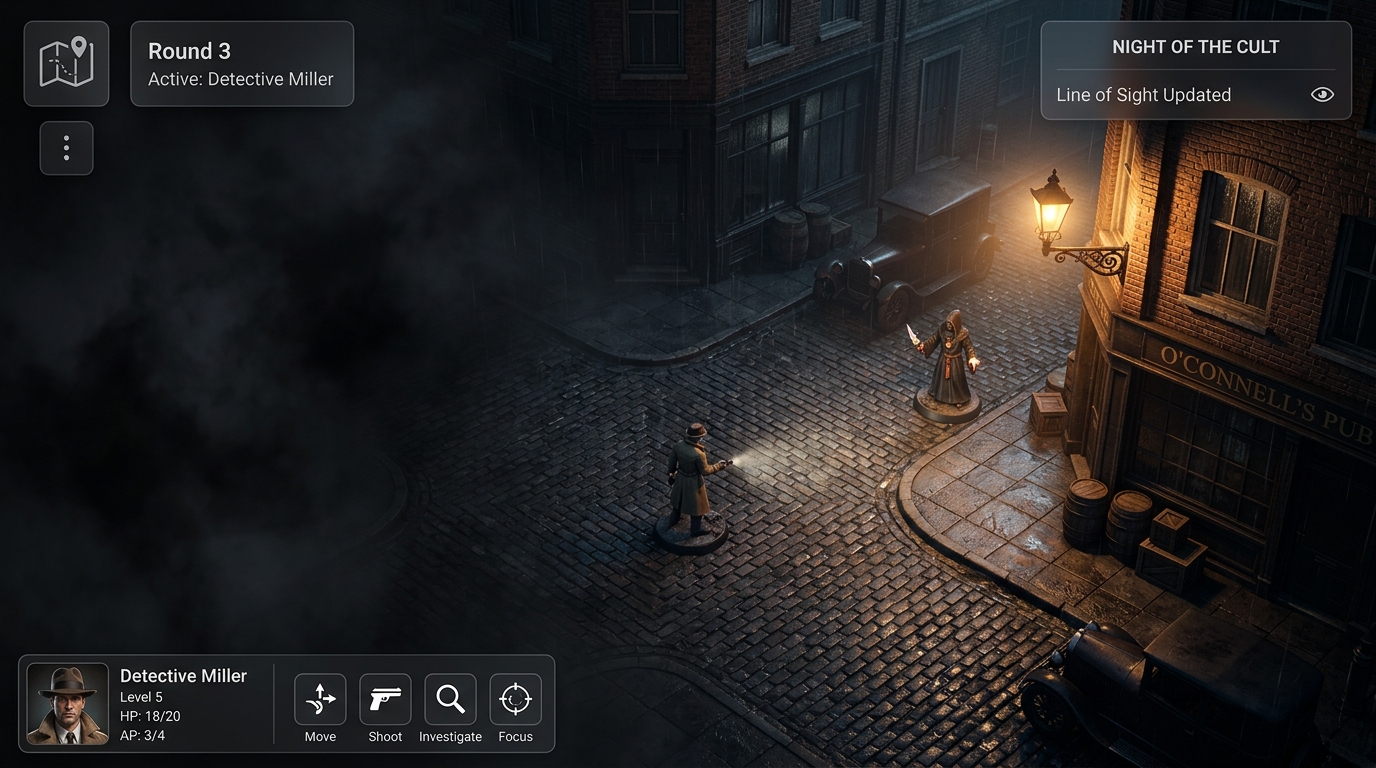
[!IMPORTANT] The fog you see is a rendering of a server decision, not a client computation (§5.4.1, ADR-034). Visibility is a security property owned by the server. The client smooths, upsamples and animates the authoritative mask, and may never reveal a cell the server has not revealed. The fog boundary updates at the authoritative cadence (20Hz plus a one-tick mask lag, ADR-033), so the edge is animated by the presentation layer rather than snapping with each tick.
4. The Investigator’s Dossier (First-Party P3 Descriptor)
When a player opens their character sheet, a JSON AST UI descriptor is rendered by first-party components into this layout. The design features dynamic progress bars for Sanity (SAN) and Health, moving away from standard D&D stats to focus on Noir detective tropes.
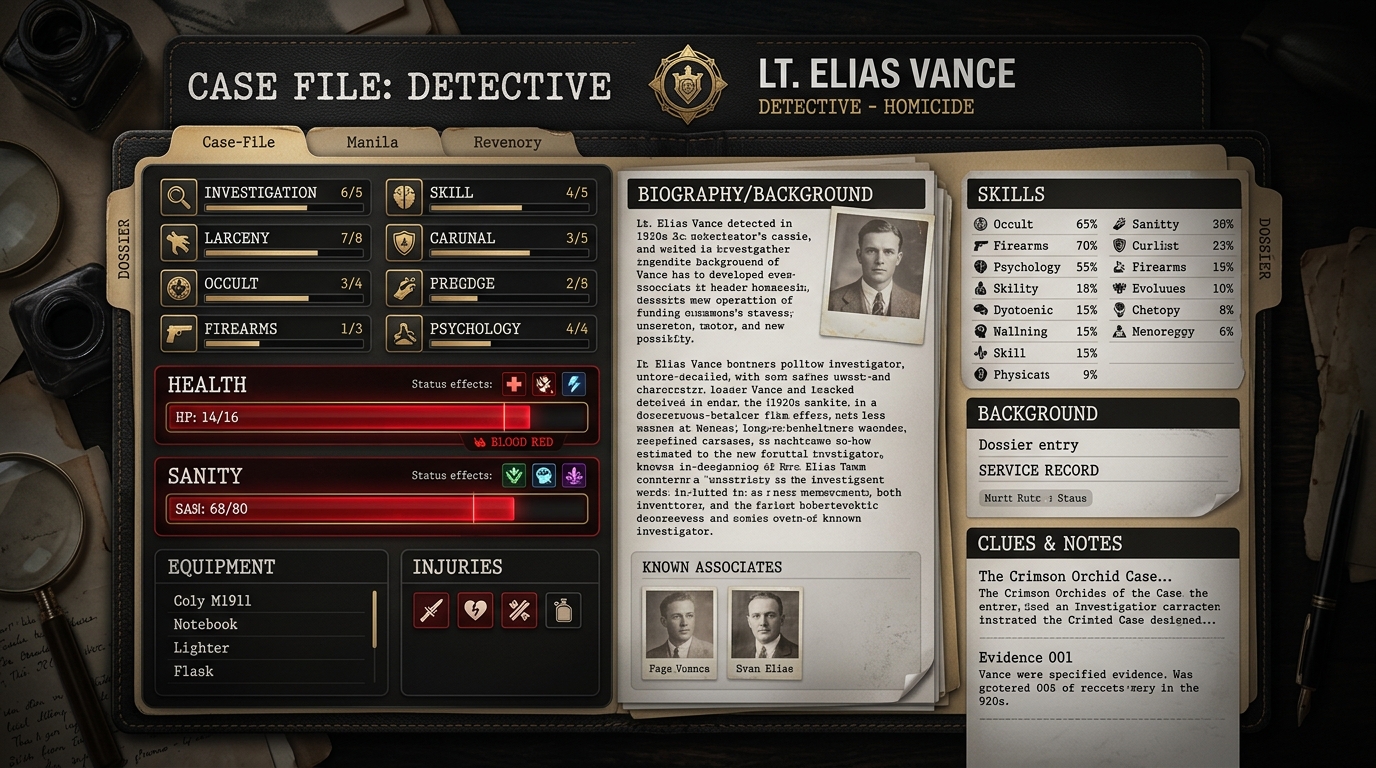
[!NOTE] Trust tier, corrected 2026-08-01 (R2-F-46). CoC7e is the first-party reference implementation, so its sheet is a tier P3 descriptor rendered by the first-party host (§6.4) — it does not pass through the untrusted P2 plugin sandbox. Third parties ship data, never code that reaches the main thread.
5. The Token Radial Menu (The Hybrid Bridge)
This is where the WebGPU world meets the SolidJS world. When the user clicks the token, a raycast hits the 3D mesh, and the SolidJS engine instantly spawns this sleek, circular Context Menu in HTML DOM, precisely anchored to the token’s screen coordinates.
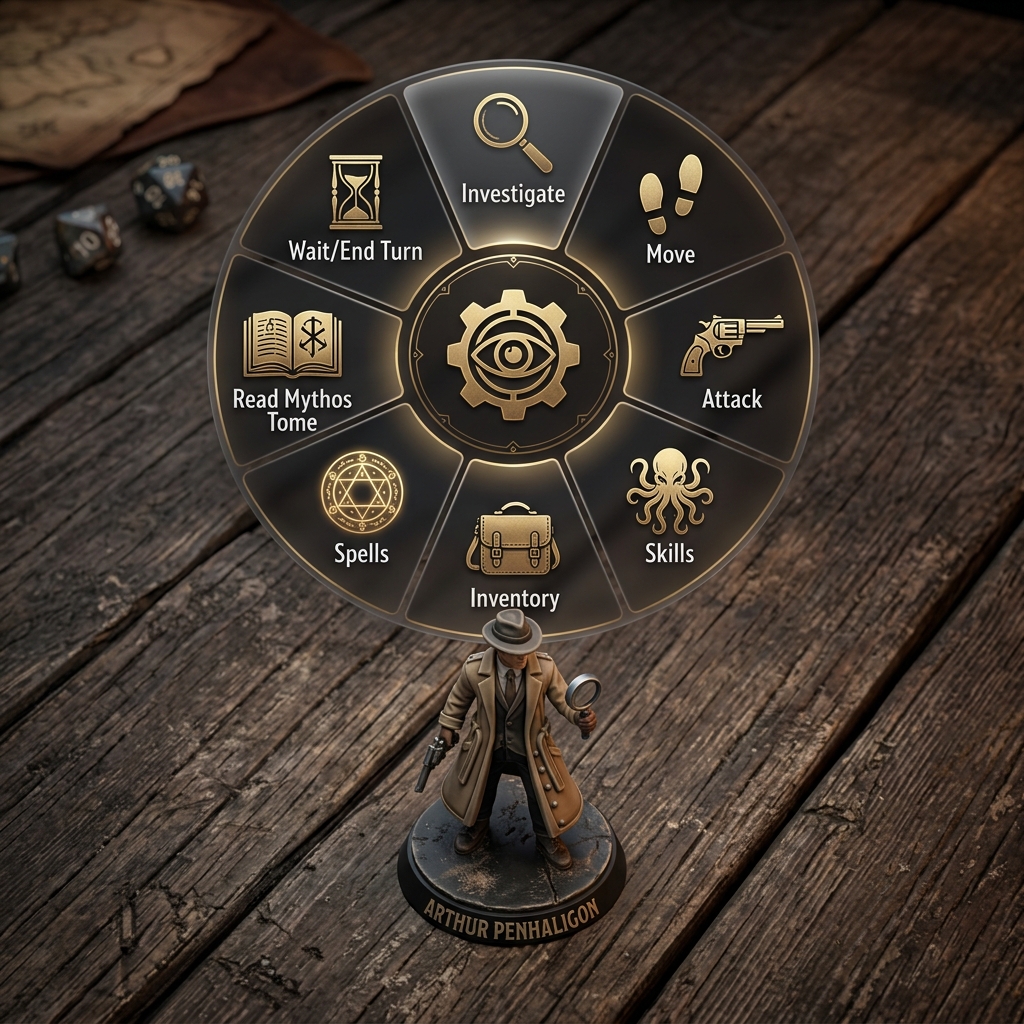
[!IMPORTANT] Investigative Ergonomics: Radial menus drastically reduce “mouse travel distance”. Instead of moving the mouse to a sidebar, the options appear exactly where the tension is happening.
“Precisely anchored” is bounded, not exact (2026-08-01, R2-F-48). The OffscreenCanvas is presented by the render worker while DOM is composited by the Main Thread, so Guardrail 2 guarantees a bounded and stable 1-frame (7–16ms) skew. The menu will either close on camera movement or accept visible one-frame lag.
6. State & Degradation Components (The Real Architecture)
Added 2026-08-01 (R2-F-42). The beautiful scenes above are happy-path art direction. The architecture requires roughly seventeen user-visible states (e.g. projection catch-up, room hydration). A single indeterminate spinner is insufficient.
We rely on a small family of state components utilizing our 1920s Noir vocabulary: telegram and case-file motifs for progress-bearing waits, and evidence-stamp treatments (SEALED, PENDING, REDACTED) for read-only and staleness.
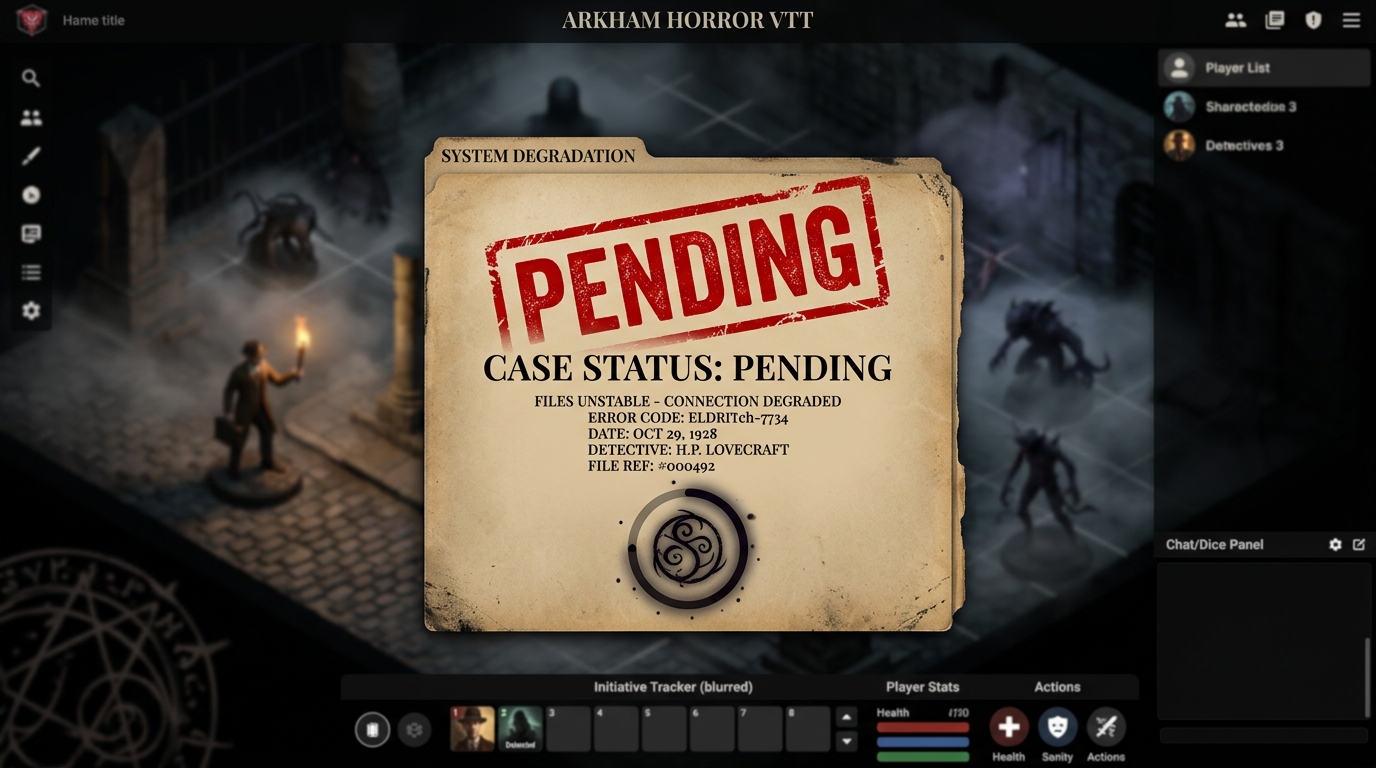
The Component Family Requirements
- Progress-bearing wait: Container wake, room hydration, projection catch-up (Guardrail 6). Never indeterminate.
- Explained degradation banner: OPFS quota exhaustion, WebRTC unavailable (ephemeral suppressed), animated maps frozen.
- Read-only mask with reason: Archive Mode (§3.1), ruleset read-only on licence lapse (§12.2.6), room read-only during timeline checkout.
- Foreign-control affordance: Ephemeral Ownership Lease held by a peer (ADR-050).
Rule: Never degrade silently. Every disabled or reduced capability has a surface saying so. Legibility and unambiguity win over atmosphere — glassmorphism over a dark 3D scene is avoided here in favor of stark, clear UI when the player must act.
7. Offline Spatial Planning (ADR-051)
During connectivity drops, the VTT does not freeze. Players can continue to plan their movements. The Planning-layer affordance visually distinguishes “intended” actions from “committed” ones. Paths are drawn as translucent, dashed lines in antique gold to indicate intentions.
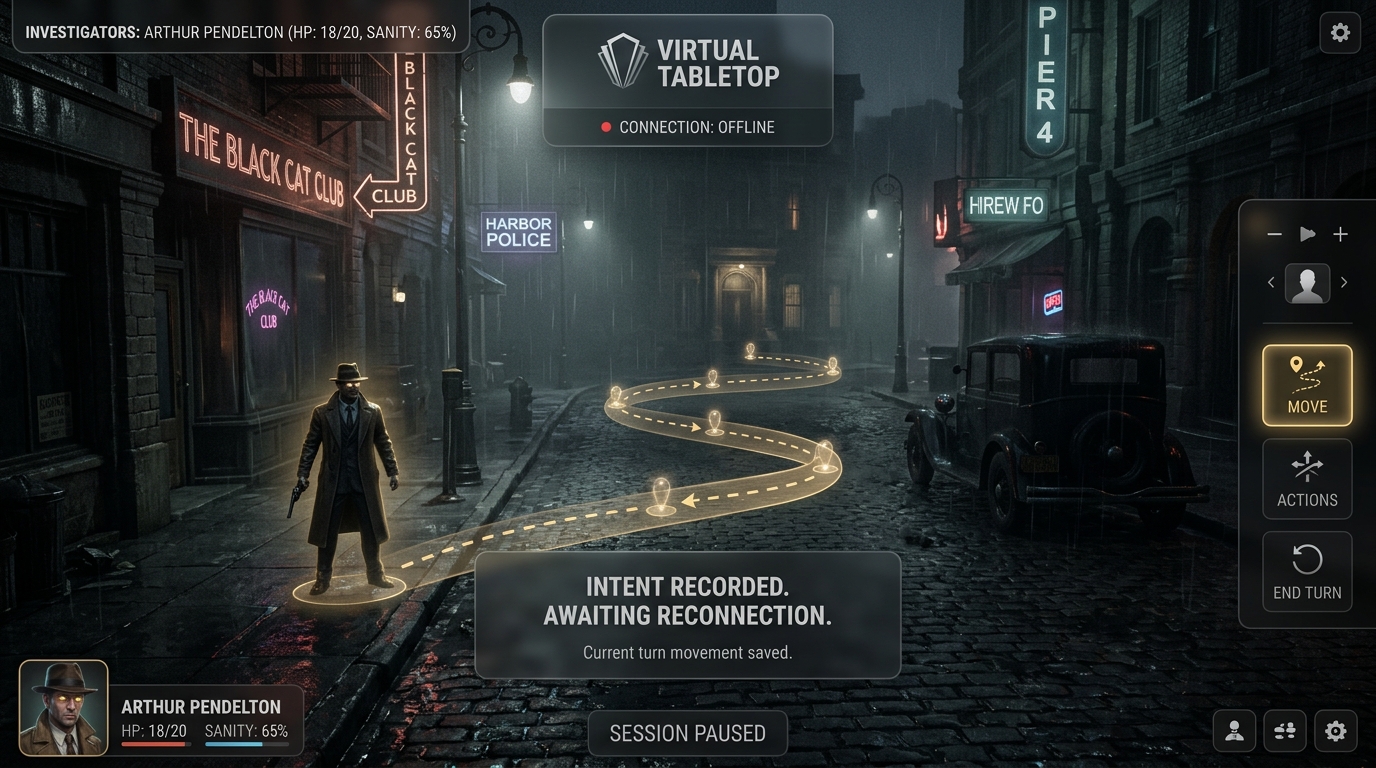
[!TIP] When the connection is restored, these intentions are presented for execution in a batch format rather than auto-submitting blindly into a changed world state.
8. Audio & Hardware Resilience
In a premium tabletop experience, hardware failure shouldn’t derail a session. Based on the Future_Frontend_Roadmap.md, we implement the Device Observer Pattern. If a primary audio input drops, WebRTC replaceTrack() instantly falls back to the system default microphone. The UI must clearly signal this degradation to the user.
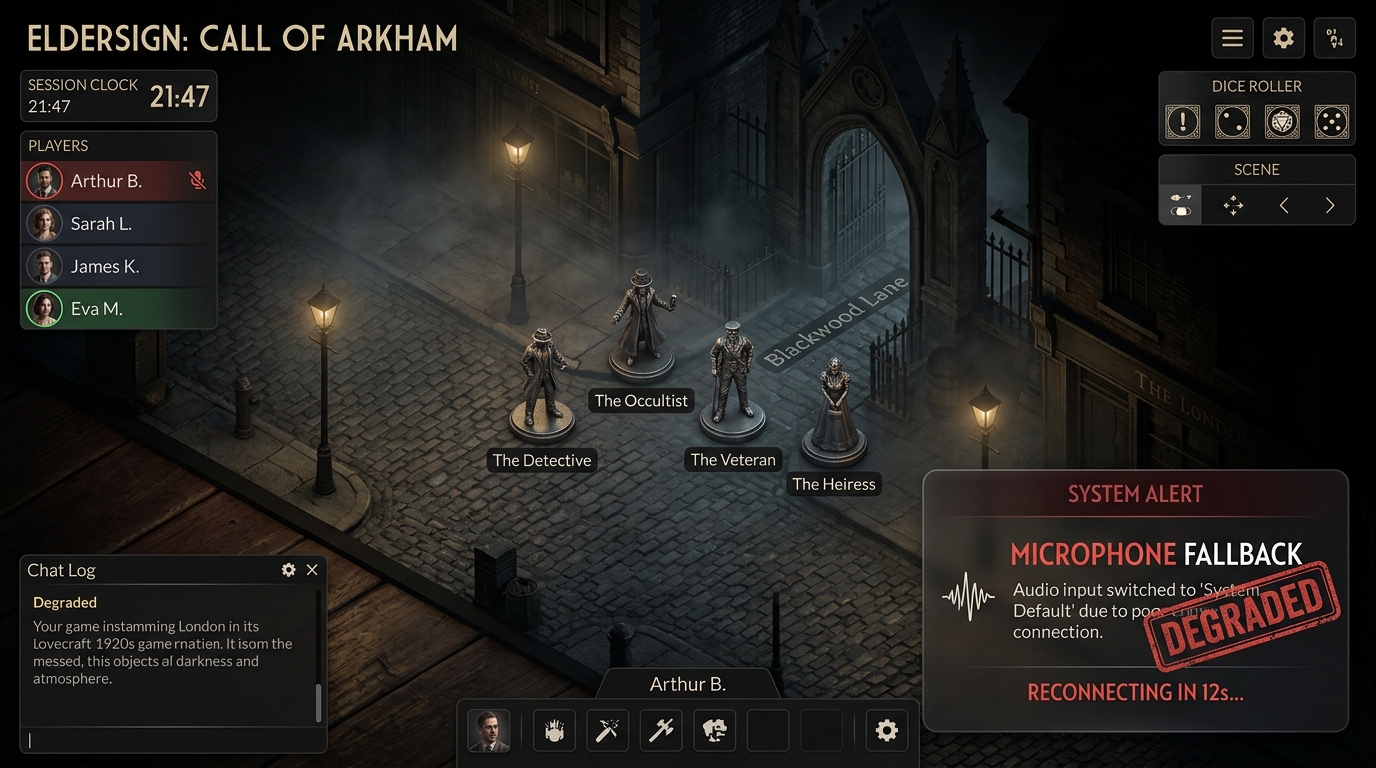
[!NOTE] The UI displays a subtle, glassmorphic toast styled like an old radio broadcast warning, adhering to the “Never degrade silently” rule.
9. Batch Review Dialog & Causality Invalidation
When offline queues flush on reconnect, or when a Timeline Rule fails, the UI must present a single surface listing the rejected set as a group. This is the Batch Review Dialog.
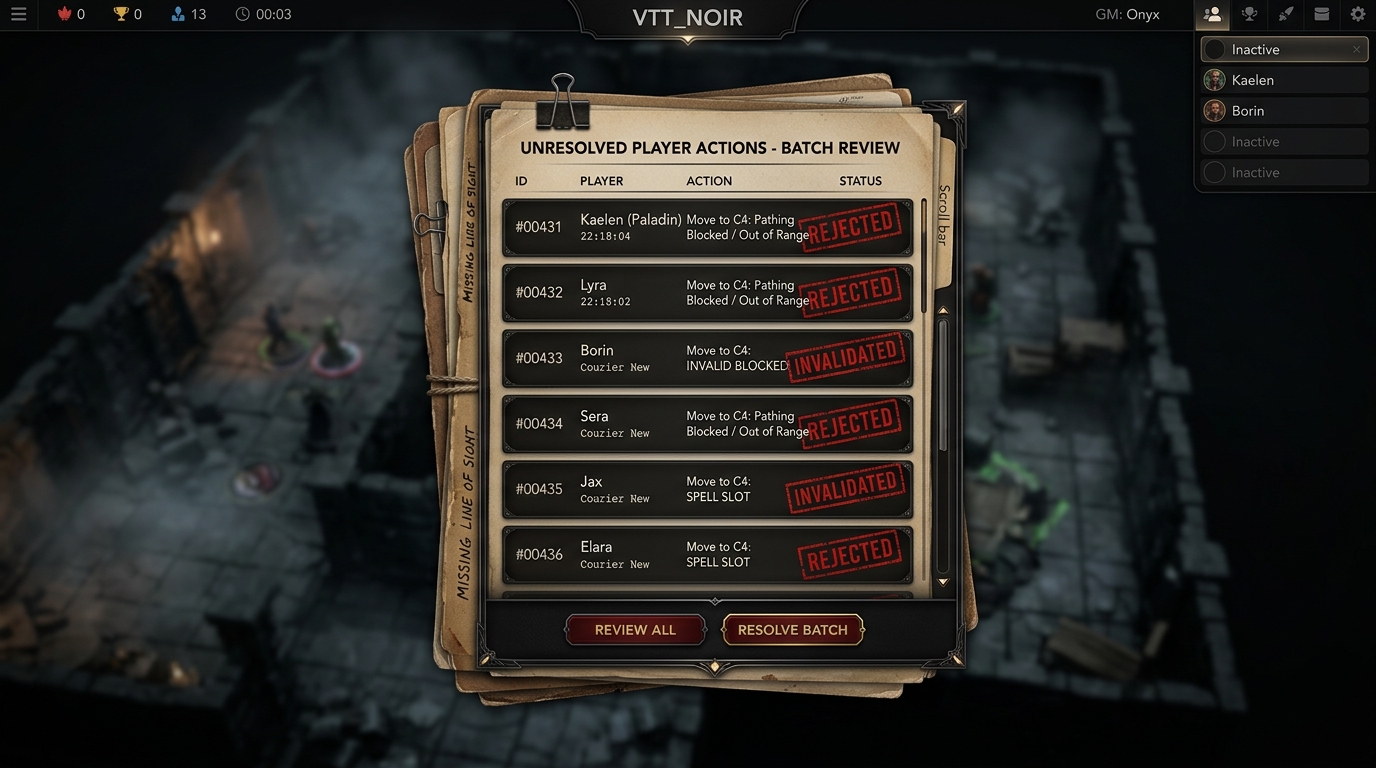
[!IMPORTANT] The design uses a dossier-annotation style, layering case-files over a blurred 3D map to emphasize that the player must resolve these conflicts before returning to the immersive view.
10. Unconfirmed Geometry State
As per §6.3 and W4/D-3, geometry changes must fail closed. When a GM edits the map, players see nothing until the geometry is confirmed by the server. The GM, however, sees the Unconfirmed-geometry state — an editable overlay indicating uncommitted changes.
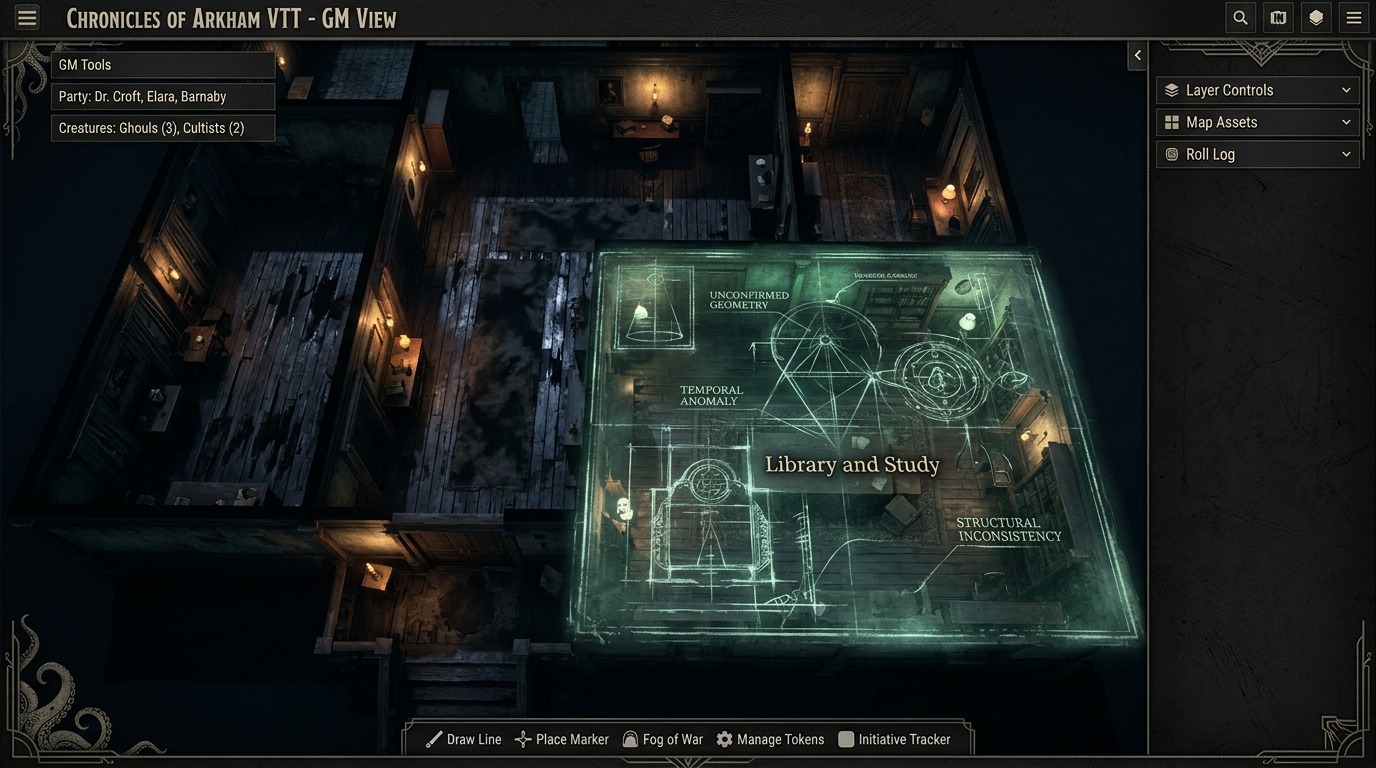
[!TIP] This overlay utilizes a vintage, high-tech architectural draft style, floating over the photorealistic floorboards to differentiate it clearly from the playable map state.
11. Marketplace & The Grand Library (DriveThruRPG-Style Ecosystem)
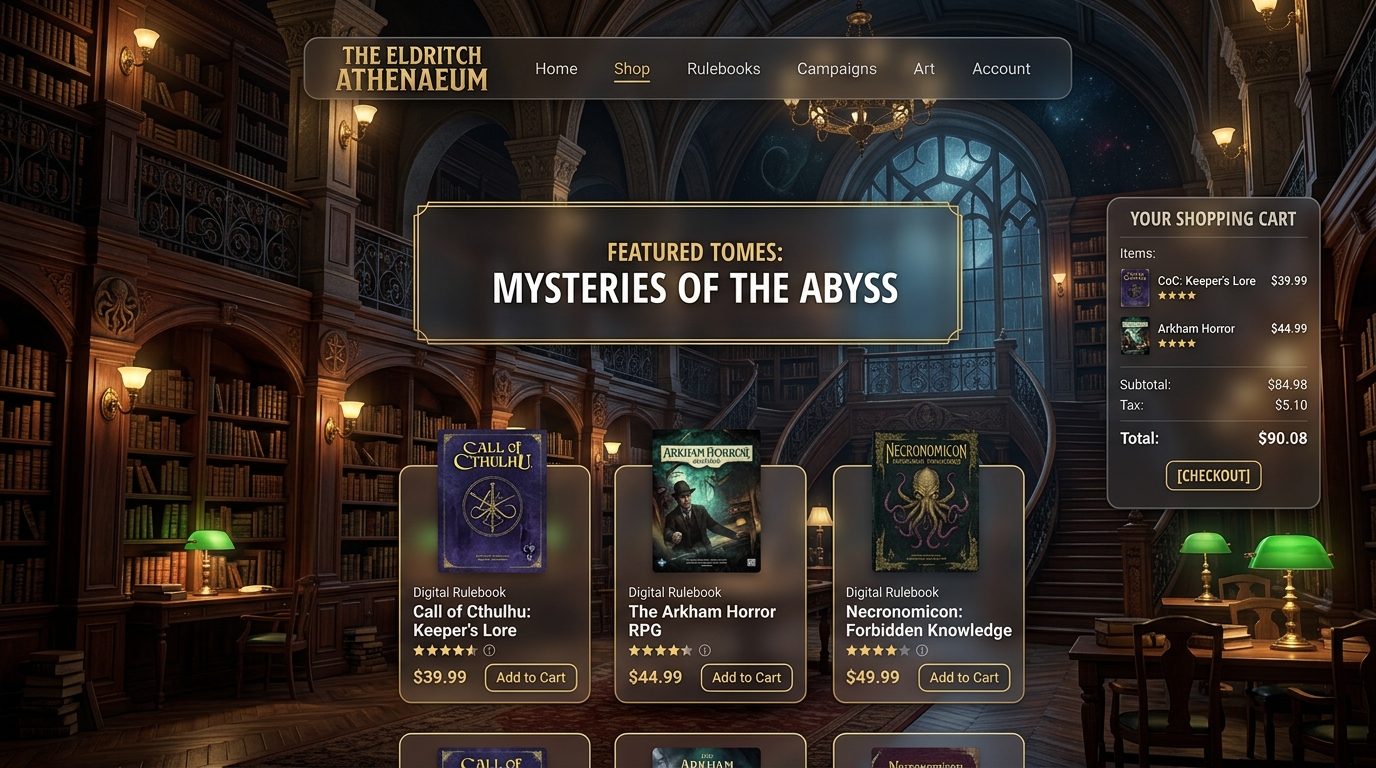
The Descent Marketplace is designed as a comprehensive TRPG e-commerce ecosystem, inspired by platforms like DriveThruRPG. It provides a seamless flow from browsing and purchasing to reading and playing, all integrated directly into the VTT.
Visually, the marketplace is presented as an expansive, atmospheric “Grand Library”. Players navigate through towering mahogany bookshelves lit by the soft glow of antique banker’s lamps. The UI employs deep, rich wood textures and glassmorphic (Frosted Glass) overlays to display modern e-commerce data (pricing, reviews, cart) over ancient-looking tomes.
Core Library Features
- The Archives (Storefront): Browse rulebooks, campaigns, and 3D asset packs presented as physical books and miniatures on shelves. Includes powerful filtering by genre, system, and publisher.
- Personal Vault (Purchase History & Digital Library): A dedicated section showing only the user’s owned content. Books here can be directly launched into a new VTT room or opened for reading.
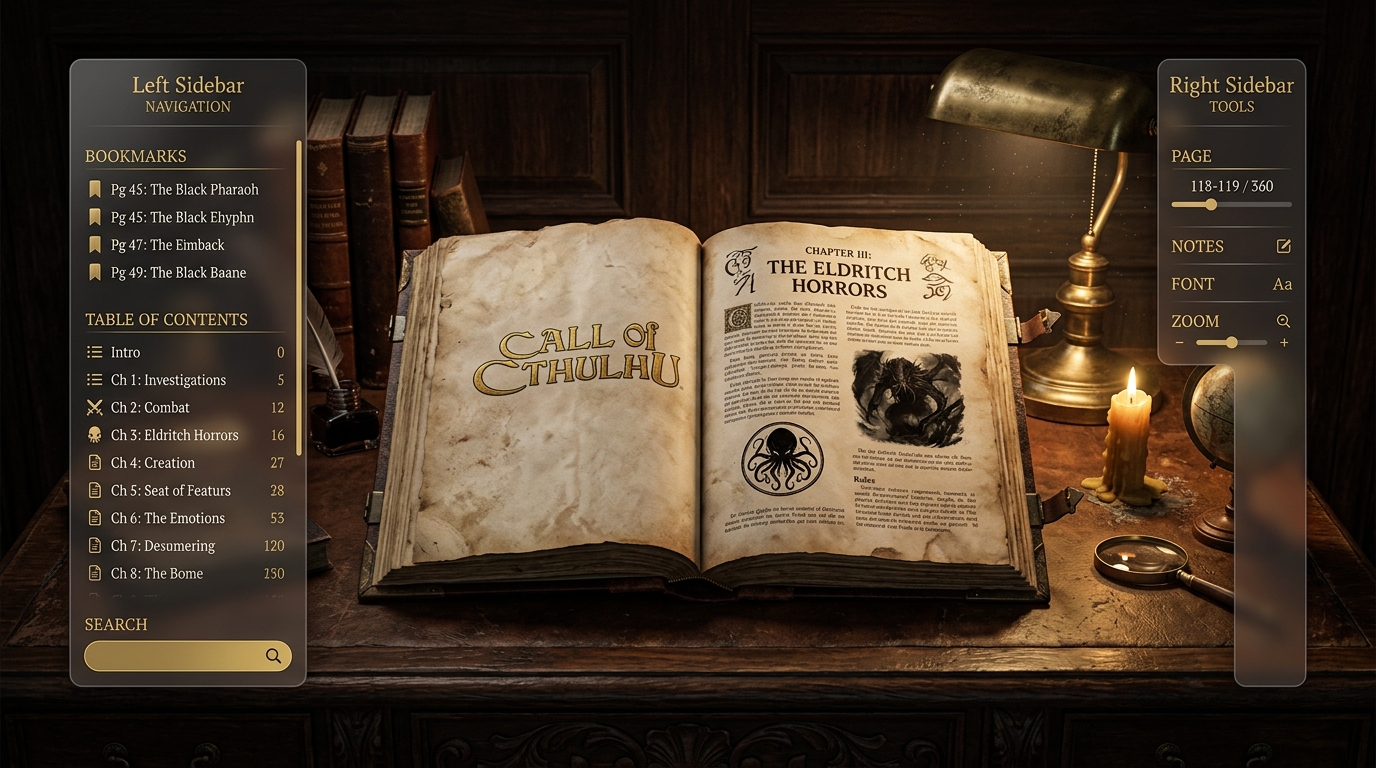
- The Reading Room (Online Reader): An integrated, distraction-free rulebook reader with bookmarking, full-text search, and cross-linking to VTT compendiums, styled like a vintage reading desk.
[!WARNING] Zero-Trust Checkout: Enforcing anything in the BFF or the frontend is a UX affordance, never a control. The UI’s “Secure Checkout” button relies entirely on the API securely returning the Checkout Session URL. No authorization or pricing decisions are placed in the SolidJS frontend.